Custom PC Builds
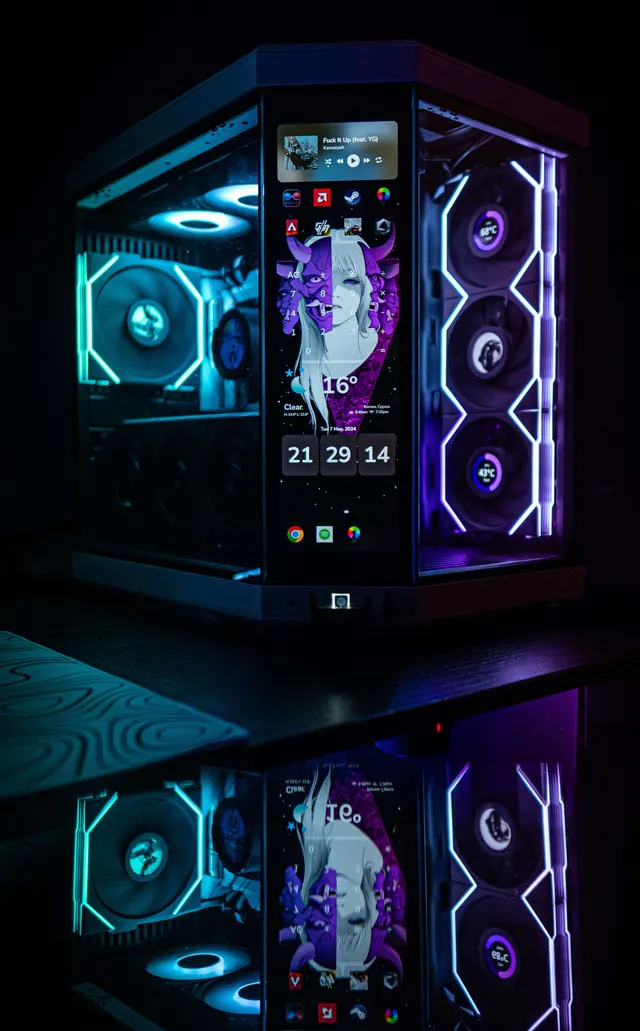
Spec'd to your budget and goals: gaming, workstation, or both. Tidy cable management and quality finishing as standard.
A converted-garage lab where deep hardware knowledge meets a builder's creative streak. I build and restore PCs, hunt down faults others give up on, and direct AI tools to ship real desktop software.

Look closely: the whole mark is an M.2 SSD. Gold fingers, mounting notch and all.
I've been hands-on with computers since I was eight, and I've spent the years since turning curiosity into craft. I formalized it through a technical IT education, a college degree in IT and networking, and a Cisco networking certification, but most of what I know came from building, breaking and fixing real machines.
TechFlow is my custom-build and repair lab, run out of a converted home garage. I'm the person friends trust with their machines: custom builds, upgrades and fresh installs, Windows and hardware troubleshooting, deep cleaning and repastes, and networking and Wi-Fi setup.
What I love most is the diagnostic side, where years of deep hardware knowledge turn an obscure fault into a puzzle to solve rather than a chore. And beyond the bench, I'm a builder and creative director: I design and ship desktop apps by directing AI tools rather than writing the code myself. It's the same instinct in a different medium, pairing hands-on expertise with smart use of modern tools to make things that actually work.
From a blank-slate custom build to tracking down the fault no one else could find, here's how I can help.
Spec'd to your budget and goals: gaming, workstation, or both. Tidy cable management and quality finishing as standard.
GPU/CPU/RAM/NVMe upgrades, clean Windows installs, drivers and the apps you actually use, set up and ready to go.
No-POST, instability, thermal and Windows faults traced to the root cause. The part of the job I enjoy most.
Full strip-down, dust removal, fresh thermal paste on CPU and GPU, temperatures and noise brought back to spec.
Rebuilt looms, custom routing and a clean back side, airflow and aesthetics that make a build feel new again.
Mesh networks, NAS, FTP/Samba shares and DDNS, reliable coverage and access set up the right way.
Keyboards, mice, controllers and consoles: joystick drift, liquid damage, switch and scroll-wheel fixes, soldering included.
AnyDesk remote help for Windows issues, setup and quick fixes when an in-person visit isn't needed.
A selection of real jobs: personal projects, friends' machines and client work. Tap any card for the full story and photo gallery.
Diagnostic win
Diagnostic win
Diagnostic win
Diagnostic win
Diagnostic win
The diagnostic side is the part I love most, where deep hardware knowledge turns an obscure fault into a puzzle worth solving.
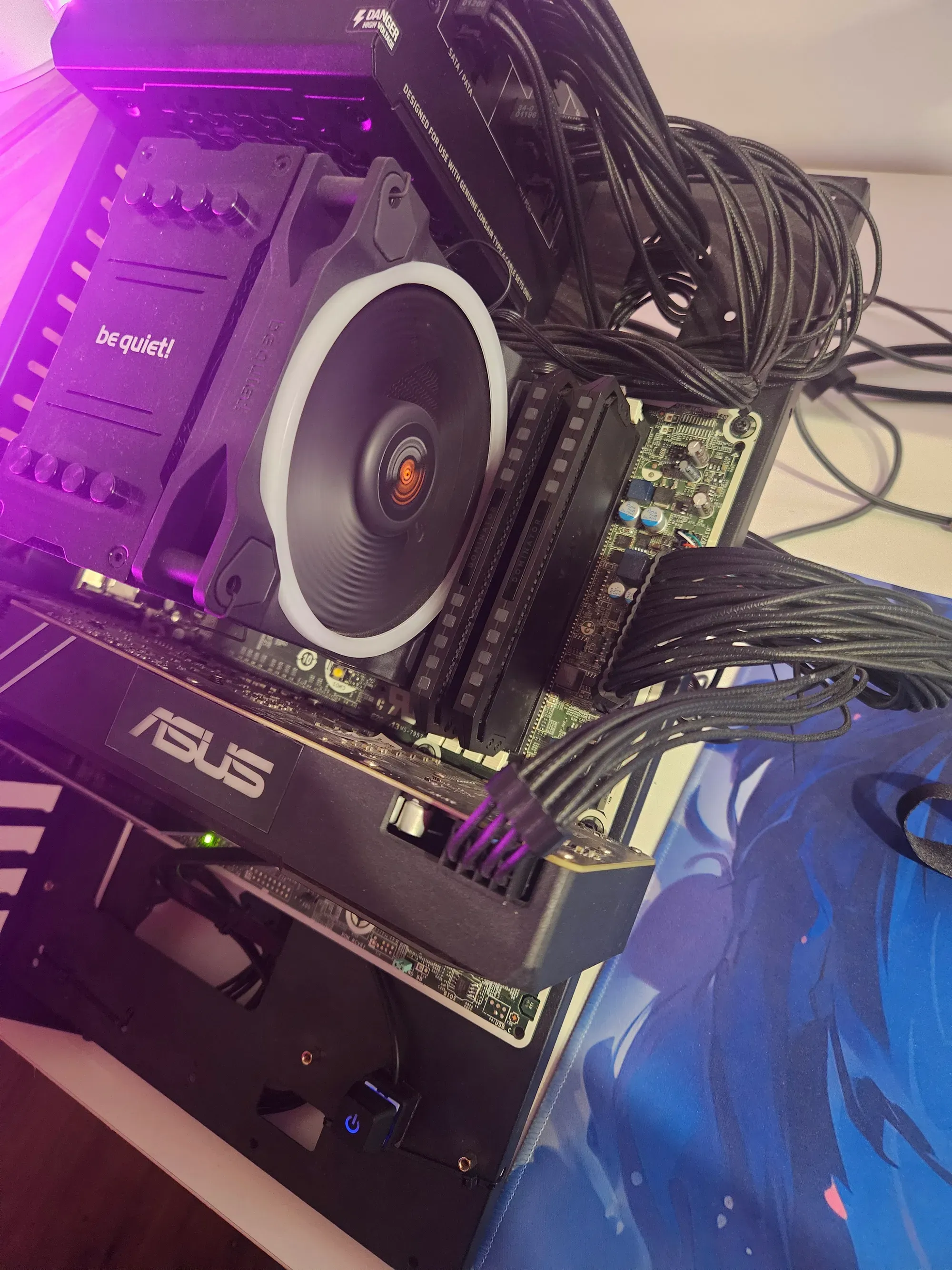
My open testbench started life as a donor HP office PC. I stripped it back, fitted a Corsair RM1000e for headroom, TeamGroup T-Create 64GB and a be quiet! air cooler (custom-fitted around HP's awkward board layout) with a Kingston 512GB NVMe on a PCIe adapter card and a custom power button.
When the donor parts moved to the portable-PC project, I rebuilt it on an ASUS TUF B550 Gaming Plus WiFi II and a Ryzen 5 5600X, and it refused to POST.
No-POST with the VGA debug light lit on a fresh B550 + 5600X. The cause wasn't the board or the freshly-formatted NVMe: it was a spare GTX 1080. Older 10-series cards need a DisplayPort firmware update or some boards won't POST. I booted on a spare 1660 Ti, flashed the 1080's DP chip, swapped back, and it POSTed every time.
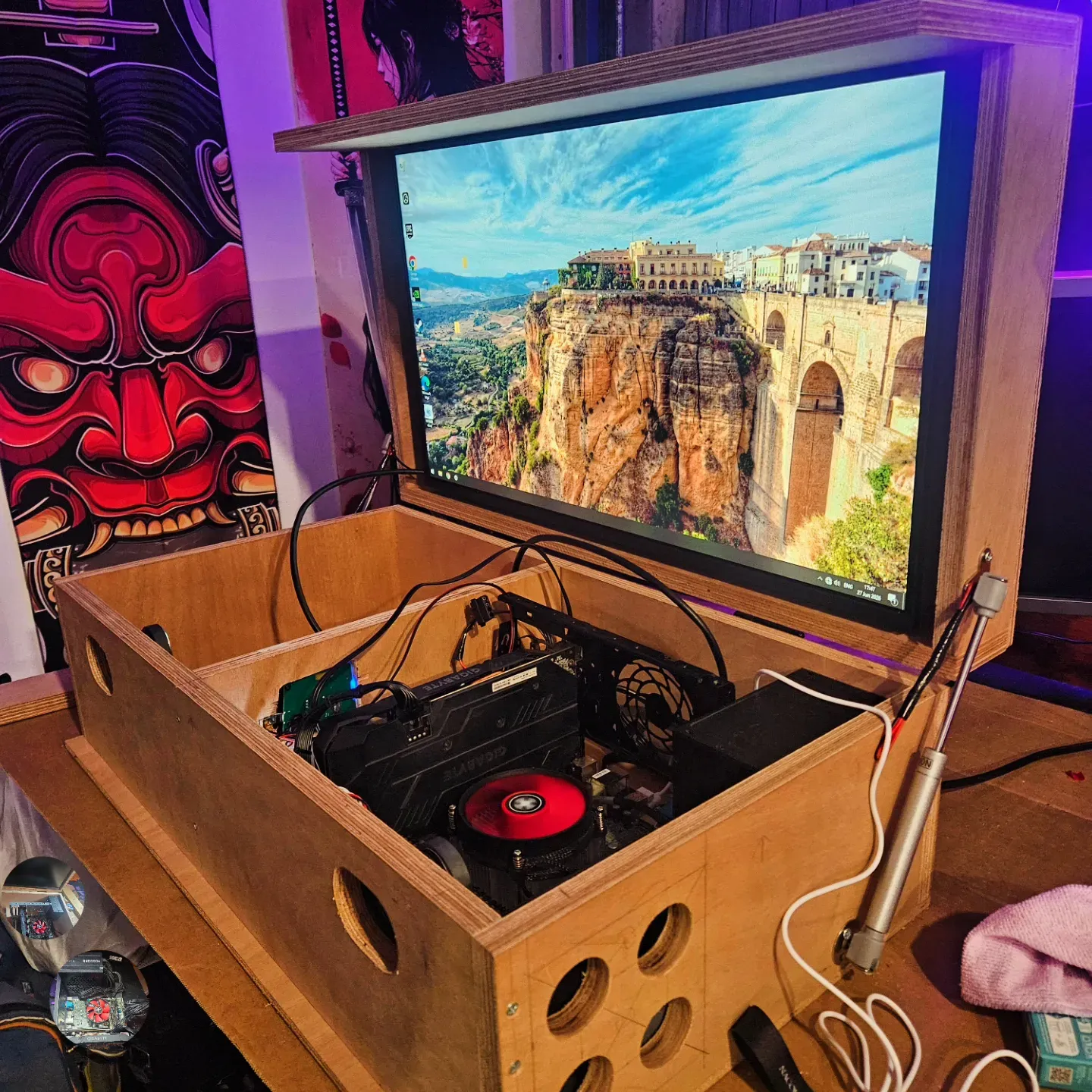
An ongoing project: a portable, two-person-carry all-in-one gaming PC with a built-in monitor, something you could take to a vacation house and just play.
Built mostly from a wood case around a donor HP office PC: i7-6700K, Corsair Vengeance 2×8GB 3200MHz, a 240GB Kingston SSD, a be quiet! 450W PSU, a Gigabyte OC GTX 1660 Ti and a 27″ 1080p 120Hz IPS LG panel. Still a work in progress.
Apps I build by directing AI tools rather than writing the code myself, a builder and creative director's take on software. Three are desktop previews you can click through; Bench runs in the browser, and you can open the real thing.
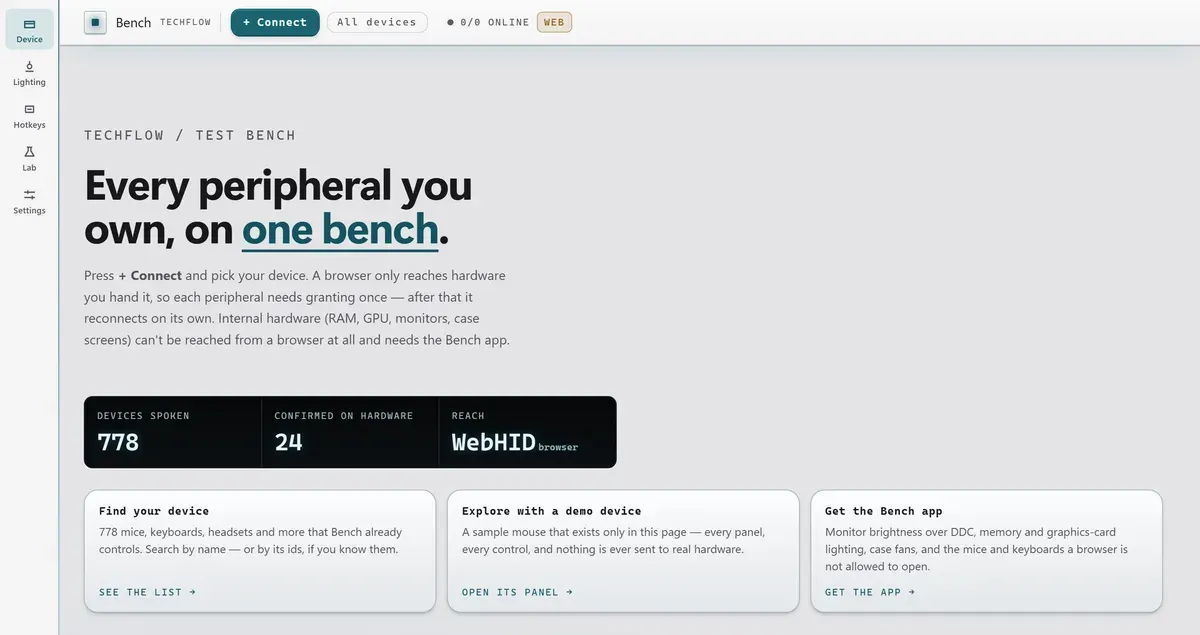
Every peripheral you own, on one bench
One page that controls every peripheral on a desk (mice, keyboards, headsets, memory, graphics cards, fans and monitors), replacing the five or six vendor apps a desk usually runs to do it. No accounts, no updaters, no telemetry, and hardware that keeps working long after its manufacturer stops supporting it.
A controller-first launcher for a portable gaming PC
A games and media launcher with native gamepad support (Xbox, DualSense, Switch), an in-game overlay, and screen capture. Built as the front-end for my portable gaming-PC project, a neon HUD you can drive entirely from a controller.
Paired devices
HUD theme
Per-app mixer
Mapping
System status
Interactive preview · switch tabs to explore · display only
Every disk tool I kept opening separately, in one place
A disk-management suite: inspect every drive, read SMART health, partition, format, clone an OS disk, repair boot, and build recovery media. Includes a single-exe WinPE edition for off-system recovery. I was tired of juggling ten utilities, so I designed one.
Live I/O · NVMe 0
Disk temp
SMART
Attributes
Samsung 9100 Pro · 2 TB
Source
Target
Theme
Interactive preview · switch tabs to explore · display only
One control plane for every smart device in the house
A smart-home controller that unifies 20+ device ecosystems (Tapo, Govee, SwitchBot, Midea, Hue and more) behind one clean dashboard. Works locally over LAN/Bluetooth and remotely via Tailscale, with scenes, automations and ambient screen-sync lighting.
Home
Energy now
Color temperature · Living Room
Today · warm ↔ cool
Usage · last 12h
Remote access
Theme
Interactive preview · switch tabs to explore · display only
Ten years of hands-on hardware work alongside full-time employment. Over 100 devices since 2016: custom builds, repairs, diagnostics, consoles, peripherals and small network setups. Three years on a high-volume support queue at Aylo, over 1,000 cases with a satisfaction rating above 92%, now as a senior analyst.
Need a build, a repair, or a fault tracked down, or want to chat about a role? Drop me a message.